All Yono Games Mobile Guide: Playing Games on Your Phone
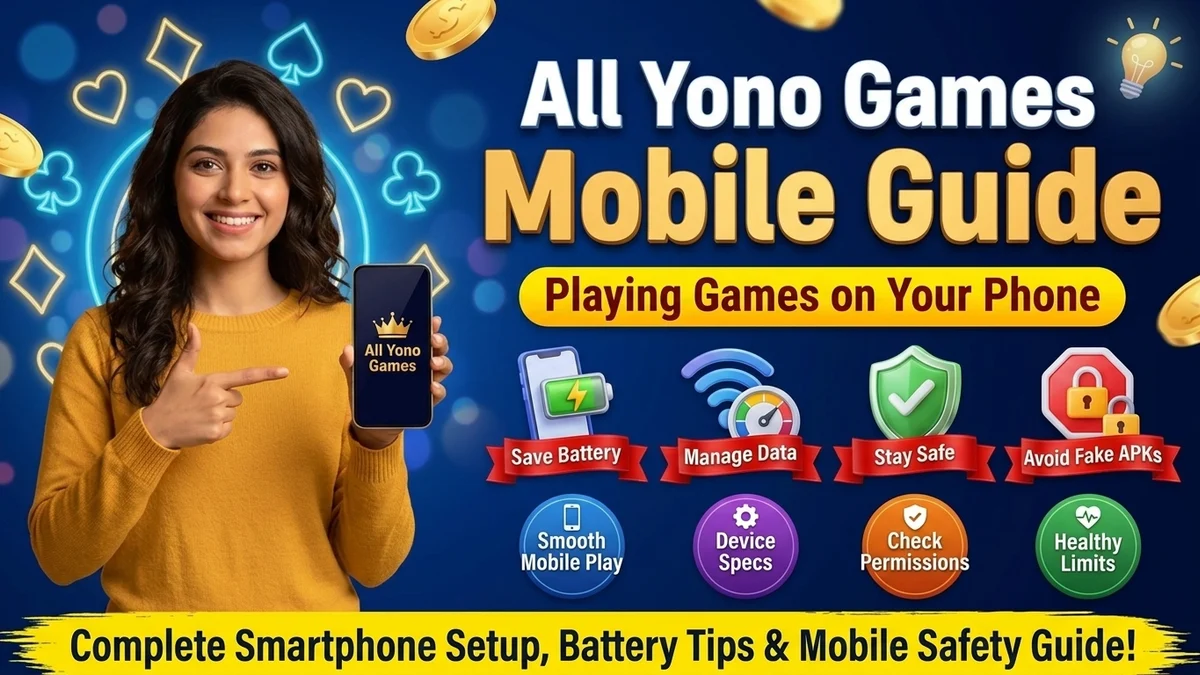
Mobile is where nearly everything about All Yono Games happens. These apps are built for phones first: small downloads, vertical screens, quick rounds you can squeeze in while waiting for a bus. If you're new to the idea and wondering how to get the best out of playing on your phone, or how to stay safe while doing it, this guide covers the practical side, from device requirements to battery life to security.
One thing to clear up before we start: "All Yono Games" isn't a single official app. It's a label for many similar mobile games and apps, such as Yono Rummy, Yono Slots and Yono 777, run by different operators. They have no link to the SBI YONO banking app. So the advice below applies broadly, but each app will behave a little differently.
Why These Games Feel Made for Mobile
It's worth understanding why this category works so well on phones, because it explains both the fun and the risks.
Many of these apps are only a few dozen megabytes, so they run smoothly on budget phones with limited internal storage.
A round of rummy, ludo or a spin game takes just a minute or two. That makes it effortless to fit into a spare commute or coffee break.
Your phone is with you all day, making it easy to play anywhere—and just as easy to play more frequently than you intended.
Push alerts about bonuses, tournaments and daily check-in rewards constantly pull you back in. Helpful for reminders, less so if cutting down.
What Your Phone Needs
You don't need a premium device, but a few basics make a big difference.
Most apps run on Android. iPhone users will find fewer options because Apple's store has strict rules about gambling-style apps.
3 GB of RAM and a couple of GB free is plenty for simple card and puzzle games. Arcade-style games with heavier graphics need a bit more.
Multiplayer games need a stable connection. Wi-Fi or a solid 4G/5G signal prevents disconnections mid-game during critical moves.
Keeping your phone's operating system current gives you the latest security patches and protects against vulnerabilities.
Getting Set Up the Smart Way
Download From an Official Store
This is the single most important habit. Get games from Google Play or the App Store where possible. Check the developer's name, the download count and the reviews. Be wary of apps that can only be installed from a link in a chat group, a social post or a random website. Those APK files skip the security screening of official stores and can carry malware.
Check Permissions Before You Accept
A card or puzzle game has no reason to read your SMS, access your contacts or see your call history. If an app asks for these, deny them or skip the app. You can review and change permissions at any time in your phone's settings.
Keep Your Phone's Security On
Use a screen lock, keep Play Protect (on Android) switched on and avoid turning on "install from unknown sources" for casual apps. That setting is exactly what lets unsafe files in.
Getting a Better Mobile Gaming Experience
Once you have a safe, legitimate game installed, a few tweaks make playing more comfortable.
Lower screen brightness, turn on battery saver mode and close background apps. Games with constant animation can drain a battery surprisingly fast.
Most card games use very little data, but live multiplayer games and ads can add up. Use Wi-Fi when you can and check your data usage in settings.
Close other apps, restart your phone if it feels sluggish and clear the game's cache occasionally. If lag persists, check that you have free storage.
Use Do Not Disturb mode during play so phone calls and chat messages don't interrupt your concentration or cause round disconnects.
Take breaks every half hour, hold the phone at a comfortable distance and use night mode / blue light filters in the evening.
Switch off promotional notifications. You'll still be able to open and enjoy the game whenever you want without manufactured urgency.
Mobile-Specific Risks to Know About
The convenience of mobile play cuts both ways. Keep these common traps in mind:
The Legal Side
India's Promotion and Regulation of Online Gaming Act, passed in 2025, prohibits online games played with real money, whether based on luck or skill. Authorities have since pressed app stores, payment providers and advertisers to cut off such games, and enforcement has continued.
Apps that ask you to deposit cash to win cash fall within the category the law targets, while free-to-play games without cash stakes are treated differently. If you need advice on your own situation, speak with a qualified lawyer.
Safer Mobile Games Worth Looking For
The good news is that you can enjoy the same kinds of games on your phone without a wallet attached. Free-to-play rummy, ludo, bingo, carrom and puzzle games from established developers on official stores give you the same quick, social fun. Many support playing with friends and family through private rooms, which is a nice way to keep the festive card-table spirit alive from a distance.
Healthy Mobile Gaming Habits
- Set a daily time limit and use your phone's screen time tools to enforce it.
- Avoid playing when you're stressed, tired or upset, since that's when impulse decisions happen.
- Never chase losses or play to "win back" money.
- Keep gaming away from bedtime to protect your sleep quality.
- If gaming starts to feel compulsive, talk to someone you trust or consult a qualified counselor.
The Bottom Line
Playing games on your phone is easy, convenient and, with the right apps, perfectly enjoyable. The key is to choose carefully. Skip unofficial APKs and real-money apps that trade on the Yono name, stick with free games from official stores, keep your phone's security tight and set limits for yourself. That way your phone stays a source of fun rather than a source of stress.
Frequently Asked Questions
Quick answers to the most common beginner questions about All Yono Games.
1. Can I play All Yono Games on iPhone?
Options are limited, because Apple's App Store restricts gambling-style apps. Most Yono-type apps are distributed as Android APKs, which carry security risks. Free card and puzzle games from the App Store are a safer choice.
2. What kind of phone do I need?
A basic Android phone with about 3 GB of RAM, a couple of GB of free storage and a stable internet connection is enough for most card and puzzle games.
3. How can I stop these games from draining my battery and data?
Use battery saver mode, lower screen brightness, close background apps and play on Wi-Fi when possible. Most simple card games use very little data.
4. Is it safe to install Yono game APKs on my phone?
Generally not. APKs from unofficial sources can contain malware and request unnecessary permissions. Download games from official app stores and keep Play Protect switched on.
5. How do I keep my phone and payments safe while gaming?
Use a screen lock, deny unnecessary permissions, never share OTPs or UPI PINs, avoid public Wi-Fi for logins and set spending and time limits on your phone.
Looking for Verified Games?
Explore our full catalog of verified game guides, APK details, and honest reviews.